
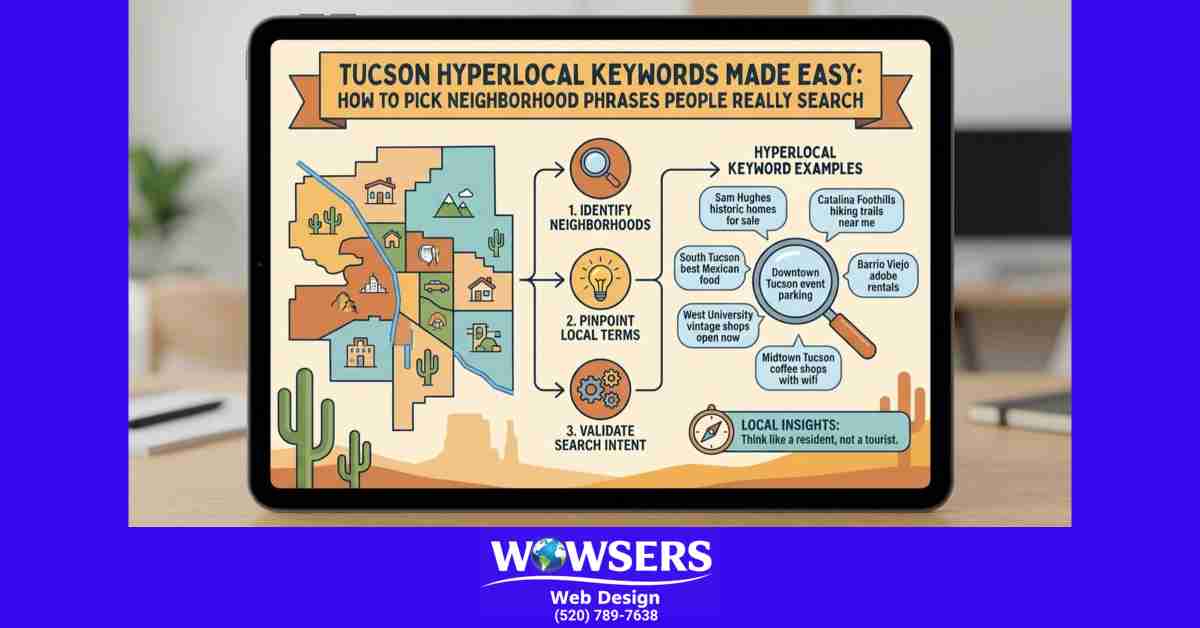
If you run a small or home-based business in Tucson, you’ve probably heard you “need keywords.” That advice is true, but it’s also incomplete. The real win often comes from hyperlocal keywords, the kind that match how people search when they’re ready to call.
Hyperlocal keywords are simple: neighborhood (or nearby place) + service + intent. Think “dog groomer in Oro Valley” instead of “best dog groomer.” One phrase tells Google where, what, and why. The other is vague.
This guide keeps it practical. You’ll learn a quick process to find phrases people actually type, so you can show up in Maps and organic results, and get calls from nearby customers.
What makes a keyword truly hyperlocal, and why it matters in Tucson
A broad keyword is something like “plumber” or “dog groomer.” A local keyword adds the city, like “plumber Tucson.” A hyperlocal keyword zooms in even more, like “plumber Catalina Foothills” or “plumber near Speedway and Wilmot.”
That extra detail matters because Tucson search behavior is often place-based. People don’t just search by city name. They search the way they drive and talk: suburbs, intersections, and landmarks. You’ll see modifiers like Oro Valley, Marana, Vail, Rita Ranch, Sahuarita, and Catalina Foothills, plus phrases like “near UArizona” or “by 4th Avenue.”
Hyperlocal keywords help most when:
- You’re a service-area business (you drive to them).
- You’re appointment-based (salons, wellness, clinics, tutoring).
- You solve urgent needs (AC repair, locksmiths, water cleanup).
- You’re competing against bigger brands for the main Tucson terms.
The big pitfall is targeting neighborhoods you don’t serve. It can bring bad leads, wasted time, and even unhappy reviews. Another common mistake is using area names no one searches. A neighborhood can be real on a map, but not real in people’s heads.
If you want a solid foundation before you go hyperlocal, this Tucson small business local SEO guide explains what Google looks for and why “near me” results work the way they do.
The 3 building blocks, service, place, and intent
A useful hyperlocal phrase is built like this:
Service + Place + Intent
You can swap the order, but you want all three parts present somewhere. Here are a few Tucson-style examples:
- “AC repair Vail same day”
- “mobile notary near UArizona”
- “hair salon Downtown Tucson prices”
- “roof repair Oro Valley free estimate”
- “massage therapist Catalina Foothills reviews”
Intent words are the shortcut to what the person wants to do next. Common intent modifiers include near me, open now, same day, emergency, repair, quote, estimate, cost, price, reviews, and best.
Match intent to the right page type:
- A “cost” or “price” search fits a service page with a pricing section or a focused FAQ.
- A “best” or “reviews” search can be supported by testimonials and a “why choose us” section.
- A “same day” or “open now” search needs clear hours, service area, and a strong call button.
Neighborhood names people say out loud, not just what’s on a map
Locals don’t always use official names. They’ll say “midtown,” “east side,” “downtown,” or “near the U of A.” They’ll name a major road before they name a neighborhood. They’ll also use cross streets because that’s how Tucson gives directions.
This is why you should listen for patterns in real life:
- Phone calls: “Do you come out to Rita Ranch?”
- Reviews: “Close to 4th Avenue” or “right by Sabino Canyon.”
- Social posts: “looking for a photographer near Reid Park.”
If your customers keep saying “near Park Place Mall,” that’s a hyperlocal clue, even if “Park Place” isn’t a neighborhood page on a map.
A simple step by step system to find neighborhood phrases people really search
You don’t need fancy tools to do this well. You need evidence, and you need a repeatable workflow you can finish in under an hour per service.
The goal is not to collect the most keywords. The goal is to pick phrases with clear meaning, real local wording, and strong buying intent.
A good workflow uses a mix of:
- Google autocomplete (free, fast, based on real searches)
- People Also Ask and related searches (free ideas and questions)
- Your own Google Search Console data (what already shows impressions)
- Google Business Profile insights (what people searched before calling)
- Competitor results (what Google is rewarding right now)
If you’re still building your basics, this checklist style post on how to make your Tucson business appear on Google can help you tighten your website and profile first, so your hyperlocal work actually sticks.
Start with your service list, then add Tucson areas you actually serve
Start with what you sell, not what you wish you ranked for. Write down your core services, then list the neighborhoods, suburbs, and nearby towns you truly serve (and how far you’ll drive).
A quick matrix helps you stay honest and stops you from targeting places outside your range.
| Core service | Tucson proper | Oro Valley | Marana | Vail | Rita Ranch | Notes |
|---|---|---|---|---|---|---|
| House cleaning | Yes | Yes | Limited | No | Yes | No drive past 25 miles |
| AC tune-up | Yes | Yes | Yes | Yes | Yes | Weekdays only |
| Dog grooming (mobile) | Yes | No | No | No | Yes | Only east side |
| Bookkeeping | Yes | Yes | Yes | Yes | Yes | Mostly remote, in-person 1 day per week |
If you’re home-based and don’t want your home address public, you can still target service areas. On your site, you can write “Serving Tucson and Oro Valley” and list neighborhoods you travel to. On your Google Business Profile, you can set a service area and hide your address (if you qualify as a service-area business).
Use Google autocomplete, People also ask, and related searches to capture real wording
This is the fastest way to find how people actually phrase things. Open an incognito window, set your location to Tucson if needed, then start typing:
- service + neighborhood (“electrician Rita Ranch”)
- service + suburb (“family dentist Oro Valley”)
- service + landmark (“photographer near Sabino Canyon”)
- service + cross streets (“pet sitter Speedway and Alvernon”)
- service + intent (“locksmith Tucson open now”)
Write down what Google suggests in autocomplete. Scroll to the bottom and copy the “related searches.” Open a few top results and look at People Also Ask questions. Those questions often make great FAQ sections on your service page.
A quick way to spot a good phrase is to check if it passes these tests:
- It names a real service you offer.
- It signals a real place in Tucson.
- It sounds like something a person would say.
- It’s not a mile long.
If the phrase feels awkward out loud, it usually performs poorly on the page too.
Validate with your own data, Search Console, Google Business Profile, and call logs
Now confirm the phrases with your data, even if your site is small.
In Google Search Console, go to Performance, then Queries. Look for:
- Neighborhood words (Oro Valley, Vail, Marana, Rita Ranch)
- Cross streets (Speedway, Broadway, Valencia)
- Landmarks (UArizona, Sabino Canyon, 4th Avenue)
Even a few impressions are useful. They tell you Google already associates your site with that search.
Google Business Profile can also show search terms that triggered your listing (features change, so what you see may vary). If you notice phrases like “haircut downtown tucson” or “massage therapist oro valley,” those are strong candidates.
Don’t ignore your calls and messages. They’re often better than any tool.
- If people ask, “Do you serve Catalina Foothills?” that’s a page section.
- If they ask, “Do you have weekend appointments?” that’s a high-intent FAQ.
Keep a simple spreadsheet with three columns: query, page idea, priority. Small and boring is fine. It works.
Choose the winners, avoid the traps, and map keywords to the right pages
Hyperlocal SEO gets messy when every keyword becomes a new page. You don’t need 30 thin neighborhood pages to get results. You need a few strong pages that match what people want, and a clear plan for where each phrase belongs.
When you pick “winner” keywords, don’t get stuck on search volume. For Tucson neighborhoods, volume tools can be inaccurate. Prioritize what you can serve and what will turn into calls.
Also watch out for cannibalization, which is when multiple pages compete for the same phrase. If you create “AC repair Oro Valley” and “AC repair Catalina Foothills” pages that say the same thing, Google may not know which one to rank, so neither performs well.
If you want help shaping pages that are built for real searches, this post on effective SEO content for Tucson businesses breaks down what to include on service and local pages so they earn clicks and calls.
A quick scoring method, relevance, reach, and revenue potential
Use a simple 1 to 5 score. You want fast decisions, not perfection.
- Relevance (1 to 5): Do you truly offer this service?
- Reach (1 to 5): Do you really serve that area?
- Revenue (1 to 5): Is it a good-paying job or a repeat client?
- Realism (1 to 5): Can you compete based on your site, reviews, and presence?
Example for a Tucson mobile notary:
| Keyword idea | Relevance | Reach | Revenue | Realism | Total |
|---|---|---|---|---|---|
| “mobile notary near UArizona” | 5 | 5 | 3 | 4 | 17 |
| “notary Oro Valley same day” | 5 | 3 | 3 | 3 | 14 |
| “notary Tucson” | 5 | 5 | 3 | 2 | 15 |
Notice how “notary Tucson” is broad and harder to win, even if it sounds attractive.
Neighborhood pages that help users, not thin pages that get ignored
A strong neighborhood page is not a copy-paste job with the place name swapped. It should feel like it was written by someone who actually works there.
What makes a local page useful:
- Real photos from jobs in that area (if you can share them)
- A short note on service area limits and typical response times
- Clear directions or parking info (for storefronts)
- Local FAQs (gated communities, HOA rules, common Tucson home styles)
- Testimonials from customers in that neighborhood
- One clear call to action (call, book, request a quote)
When you don’t have enough unique proof, skip the separate page. Instead, build one strong service page and add an “Areas We Serve” section with short, helpful blurbs.
Where to place hyperlocal phrases on the page (without sounding spammy)
Place names should read like directions from a friend, not like a robot repeating itself.
Good spots for hyperlocal phrases:
- Title tag (service + place)
- H1 (close match to the title)
- First paragraph (once, naturally)
- One subheading that references the area
- Image alt text (only when the image matches)
- FAQ section (neighborhood questions are perfect here)
- Basic LocalBusiness and FAQ schema (if you use it)
Aim for one primary phrase per page, then a few close variations. If you’re adding context like “near 4th Avenue” or “by UArizona,” only use it where it truly helps a person choose you.
Fast examples you can copy, plus a 20 minute weekly plan to keep improving
Hyperlocal keyword work shouldn’t feel like a big marketing project. You can do a lot with small updates, as long as you keep them tied to real searches and real service areas.
If you’re unsure what to focus on first, a quick read through these answers to Tucson SEO questions can help you sort out what matters now versus later.
Neighborhood phrase templates for Tucson, swap in your service
Use these patterns as starting points, then confirm them with autocomplete and your data. Only use areas you truly serve.
- [service] in Downtown Tucson
- [service] near 4th Avenue Tucson
- [service] near UArizona
- [service] Oro Valley [intent]
- [service] Marana [intent]
- [service] Vail [intent]
- [service] Rita Ranch [intent]
- [service] Sahuarita [intent]
- [service] Catalina Foothills [intent]
- [service] east side Tucson
- [service] midtown Tucson
- [service] near Sabino Canyon
- [service] near Reid Park
- [service] Speedway and Alvernon
- [service] Broadway and Kolb
A quick tip: cross streets work best when you’re known in that zone, or when your customers already mention those intersections.
The weekly loop, publish one improvement, measure, then repeat
Set a 20-minute timer once a week:
- Pick one page that already gets impressions in Search Console.
- Add one improvement (one FAQ, one better heading, one local proof point, one photo with good alt text).
- Save it, then wait 2 to 4 weeks to check results.
Tucson seasonality gives you easy content angles without stretching:
- Snowbirds (winter service demand changes)
- Monsoon season (roof leaks, tree trimming, water cleanup)
- Summer heat (AC repairs, HVAC tune-ups, pool services)
Small updates compound. After a few months, your site starts to sound like it belongs in Tucson, because it does.
Conclusion
Hyperlocal keywords don’t have to be complicated. They’re just a clear match between what you do, where you do it, and what the customer wants right now.
- Start with real service areas, not every neighborhood you’ve heard of.
- Confirm the wording with autocomplete, related searches, and your own Search Console data.
- Map phrases to helpful pages, so each page has one job and a clear next step.
- Improve one page at a time, then measure and repeat.
Pick one service, pick two nearby areas you actually serve, and make one page update this week. That’s how hyperlocal keywords turn into calls.
About Wowsers Web Design
Wowsers Web Design is a Veteran/Woman owned, Tucson Web Design Company. We build affordable WordPress websites for small businesses, home-based businesses and non profit organizations. Transparent Pricing - No Surprises - No Hidden Fees. We have clients throughout Tucson AZ and across the United States.
Check out our affordable WordPress Web Design Packages.
Learn more about Splitting Your WordPress Website Design Payments
Check out our WordPress Website Maintenance Plans
Please take a moment to review the Wowsers Web Design FAQs
Give us a call today (520) 789-7638 or Send us an email if you have questions.
Read our Testimonials
Please visit our Link Tree Page.